

Get Started Today
Parenting isn’t easy, but registering for a NOCE parenting class is! Take tuition-free parenting classes in several formats: in-person, online, and hybrid.

New Students
-
General Information for New Students
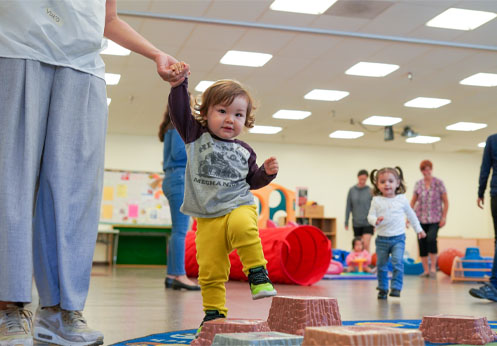
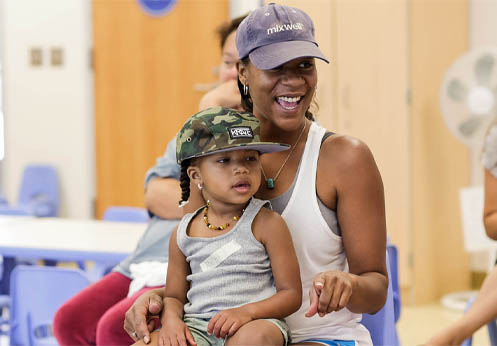
“Child-and-Me” courses are courses taken by an adult student who plans to bring their child to also participate in learning activities. The adult is the enrolled Parenting Program student. Both the adult and the child benefit from participating. (Child-and-Me classes include in the course title the age range of the children that can participate in the course).
All other NOCE Parenting Program classes are for adults only.
-
What is the difference between an online class, a hybrid class, and an in-person class?
- Online classes are held virtually, online and do NOT have any specific meeting time. Students log into their class weekly to complete learning activities, quizzes, etc., by the deadlines their instructor provides.
- Hybrid classes include weekly in-person class meetings and weekly online learning activities.
- The online portion of the class is asynchronous, so that students can engage in learning activities when their schedule permits each week.
- In-person classes are 100% in-person with meetings at specific times.
-
Things to Know About “Child-and-Me” Classes Before You Register
- The registered student in the class is the adult. The adult attendee can be a parent, grandparent, stepparent, foster parent, child’s caregiver, or other adult guardian.
- Students can enroll in multiple sections of the same Child-and-Me course topic within the semester. For example, an adult can register in two CRNs (two sections) of Joyful Parenting, during the Spring Semester, if/while space is available in both courses if the course times do not overlap.
- The registered student (adult) must accompany their child to class meetings. Children cannot be dropped off or left alone on campus or in class.
- Up to two children can attend class with each registered adult.
- The same adult must attend each class meeting.
- If more than one adult from a household or family would like to attend class, each adult can register as a student in the class.
- Consistent attendance is vital to allow adult students to experience everything the instructor has planned for students in the course.
- Please refer to the course syllabus provided for each class by the instructor for specific attendance policies for child-and-me class(es).
Steps to Apply and Register:
-
Step 1: Apply to become an NOCE student
Applying for admission to NOCE is free. APPLY TO NOCE at www.noce.edu/apply
Part 1: Complete the NOCE Interest Form
- Complete your contact information
- Click submit
Part 2: Create an OpenCCC Account
OpenCCC is the California Community College (CCC) application used by all California Community Colleges. Since NOCE is part of the system, NOCE students must create an OpenCCC Account.
- Creating an OpenCCC Account will require that you provide proof of your identity. This step helps protect everyone from identity theft, including you.
- Click on the following link to learn how to create an OpenCCC Account: How to Create an OpenCCC Account – Application Part 1
After you successfully create an OpenCCC account, you will receive a welcome email with your OpenCCC account information. Note: This code is NOT your NOCE student ID.
Part 3: Complete the Noncredit College Application
Complete the online form* with your information or visit an NOCE Campus or Center to complete the application in person. Hours of operation, addresses of the NOCE Campus and Centers, and other important information for new and returning students is included on the NOCE Admission and Records webpage.
- If you have questions or need assistance, please contact StarHelp at (714) 808-4679
- Do you need a step-by-step guide? Visit How to Apply to NOCE – Application Part 2
Note: If you have previously taken classes with North Orange Continuing Education, Cypress College, or Fullerton College, you already have a Student ID. If you have forgotten your Student ID number, click here to learn how to retrieve it.
-
Step 2: Register for Classes
Refer to the NOCE Class Schedule for class details, including the course registration number(s) (CRN) of each class for which you plan to register.
Parenting courses can be found in the searchable online schedule or within Webstar 9 under this subject code: PARN
Important: Please plan to register in your selected course as soon as possible, preferably two weeks or more before the course is scheduled to begin. Classes that experience low enrollment might be cancelled due to low enrollment.
- You will need your NOCE student ID number and the CRN to register.
- Once you have your Student ID, you can self-register for your course(s) in MyGateway or in person at an NOCE Campus or Center Admissions and Records Office.
- Note: To set your MyGateway password, click on the “Forgot password” button to set it. You will need your student ID to complete the password selection process.
- To access myGateway, visit https://mg.nocccd.edu and use your Student ID and password to log in.
- Once you have logged in, register for your classes using Webstar 9, by typing in “Register” in the search bar in MyGateway. You must have your course(s) Course Registration Numbers (CRN) to register.
- Read through this webpage for step-by-step instructions on how to register: noce.edu/register
- If a class is fully enrolled, a waitlist is available. Visit noce.edu/waitlist for instructions on how to add yourself to a waitlist.
For registration support, visit a NOCE Campus or Center Admissions and Records Office in person, call (714) 808-4679, or e-mail starhelp@noce.edu.
-
What to Expect After You Register for Class(es)
If you’ve registered for an online course(s) or hybrid course(s), your instructor will email you on the first day the class is scheduled to begin.
All online and hybrid courses are accessed using a learning management system called Canvas. The instructor will give you simple instructions about how to get started online.
- For technical assistance in learning how to use Canvas:
- Visit this webpage for videos and answers to common technical questions: Admissions and Records FAQs – Technical Questions webpage
- Help using Canvas is available from:
- For technical assistance in learning how to use Canvas:
-
What to Do if You are on a Waitlist
AFTER you’ve added yourself to a waitlist:
- Please do NOT go in person to classes for which you are waitlisted.
- DO carefully monitor your email frequently after you register, especially during the first two weeks of class.
- If a spot in the class becomes available, an email (from no-reply@nocccd.edu) is sent automatically to notify you.
- Action is required within 24 hours from the time the email notice is sent, including weekends and holidays.
- To register yourself if you receive an email notification, follow the instructions on this webpage, beginning with Step 5: noce.edu/waitlist
- Students who don’t respond by logging into the registration system to enroll within the 24-hour timeframe are automatically dropped from the waitlist; the next student on the waitlist is then notified, and so on.
- If a spot in the class becomes available, an email (from no-reply@nocccd.edu) is sent automatically to notify you.
-
Staying Registered in Your Course
To stay registered in your course(s), attendance and participation is the key.
- Mark your calendar and be sure to attend your class during the first week it begins.
- Required: Participation online via Canvas within the first three-five days of the course.
- Required: In-person attendance at the first meeting of the class.
- Commit to attending your course regularly.
- Frequent attendance helps NOCE maintain the ability to offer tuition-free classes, since student attendance is the basis by which NOCE receives funding.
- To be eligible to pass the class, frequent attendance is required.
- If you travel frequently or for some other reason cannot attend regularly, you may be dropped from the course due to lack of regular participation.
If you become ill or need to miss a class meeting: Contact your instructor to let them know. Communicating with the instructor may prevent an enrolled student from being dropped from the class, due to non-communication and non-participation.
- Mark your calendar and be sure to attend your class during the first week it begins.
Returning Students
-
Welcome back! Follow these steps to register:
Refer to the NOCE Class Schedule online .pef or searchable schedule for class details. Make note of the course registration number (CRN) of each class for which you plan to register.
Parenting courses can be found in the searchable online schedule or Banner 9 under this subject code: PARN
- Once you have your Student ID, you can self-register for your course(s) in MyGateway using Banner 9 or in person at an NOCE Campus or Center Admissions and Records Office.
- Note: To set your MyGateway password, click on the “Forgot password” button to set it. You will need your student ID to complete the password selection process.
- To access myGateway, visit https://mg.nocccd.edu and use your Student ID and password to log in.
- Once you have logged in, register for your classes using Banner 9 in MyGateway by typing in “register” in the search bar. You must have your course(s) Course Registration Numbers (CRN) to register.
- To learn how to use Banner 9 to register, go to noce.edu/register.
For registration support, visit a NOCE Campus or Center Admissions and Records Office in person, call (714) 808-4679, or e-mail starhelp@noce.edu.
- Once you have your Student ID, you can self-register for your course(s) in MyGateway using Banner 9 or in person at an NOCE Campus or Center Admissions and Records Office.
Need Help?
StarHelp can help you with filling out your NOCE application and accessing myGateway student portal.
- StarHelp phone: (714) 808-4679
- StarHelp e-mail: starhelp@noce.edu
For technical assistance in learning how to use Canvas, review the resources available from the NOCE Career Skills and Resource Lab and the Student Technology Resource Lab on the Admissions and Records FAQs – Technical Questions webpage.
- Career Skills and Resource Lab webpage and phone: (714) 808-4717
- Student Technology Support Services – North Orange Continuing Education webpage and phone: (714) 808-4706
- We are here to help! We want you to get enrolled and get started in your classes so you can meet your goals. Contact us with questions.
- CTE-Parenting Program phone: (714) 808-4915
- CTE-Parenting Program e-mail: parenting@noce.edu